

Career Author Challenge: The A+ Content Challenge
Make Your Book Look Traditionally Published On Amazon

Self-published authors need to treat their books as professionally as a traditional publisher would. That means due diligence with the book itself—pro editing, a high-quality cover design, good interior formatting—and also with the sales page for the book on Amazon.
You need to write a compelling description that shows someone why they need to buy (or borrow) a copy of your book.
And now, you’ll also want to make sure you’re using the Amazon A+ Content option (aka the “From the Publisher” section on the book sales page).
Here’s an example of some A+ Content for my novel, It Was You:
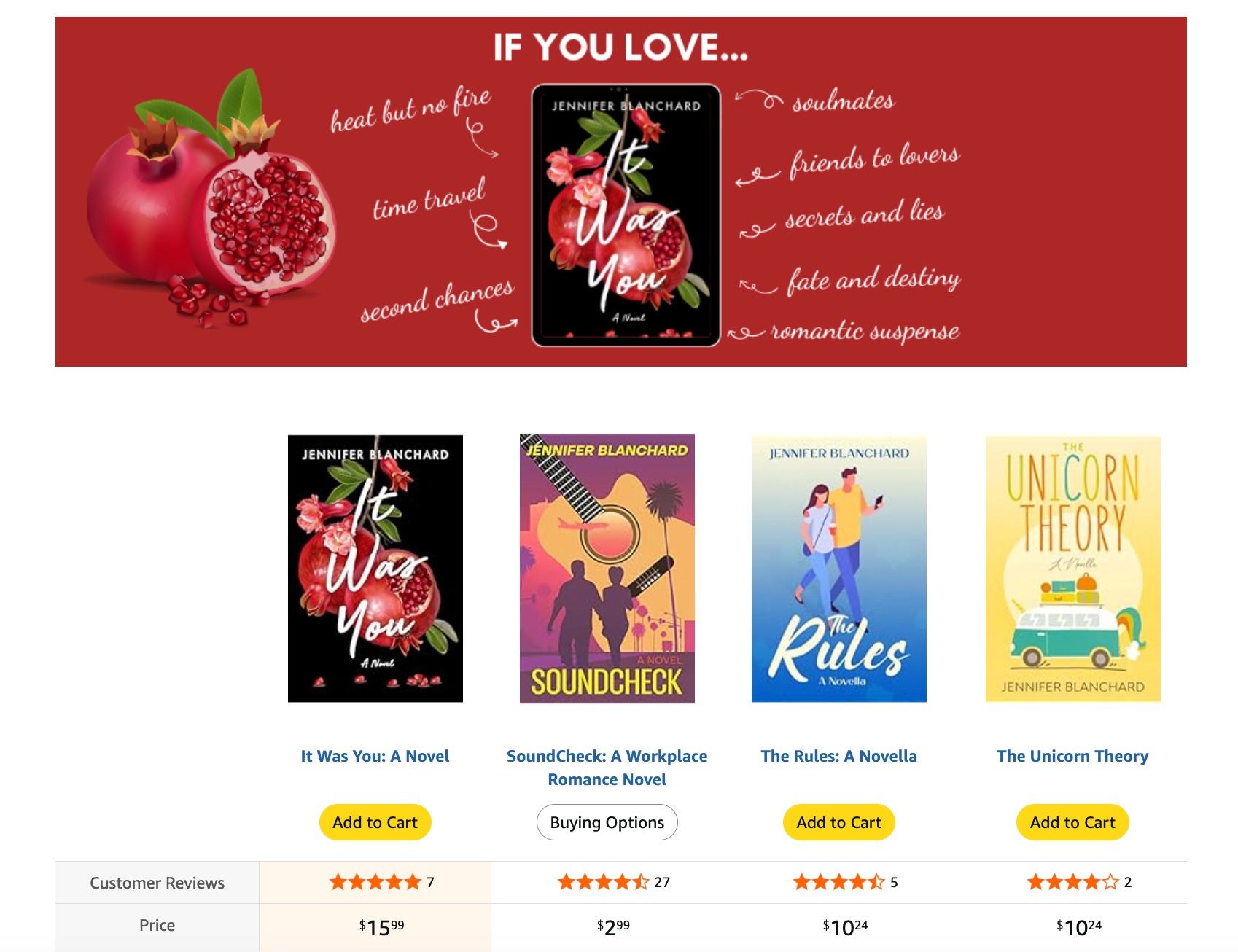
A+ Content Can Increase Your Conversions
As I talked about in my post from earlier this week, A+ Content is a feature on Amazon that used to only be for trad books. But now the option is also available for self-pub books published through Kindle Direct Publishing (and if your book isn’t on Amazon… why? It’s literally the biggest bookstore on the planet and the first place the majority of people go to find new books.).
You don’t have to take advantage of this feature, but you’re missing an opportunity to showcase even more about your book beyond the description at the top of the page.
Statistics show that having A+ Content on your sales page increases conversions (aka people who buy) between 5% and 20%, simply because it helps buyers make a more informed choice.
Imagine being able to increase your book sales by 5% or more simply by adding a little bit of extra content to your page!!
The 3-Day A+ Content Challenge
If you’re not using A+ Content on your book’s sales page on Amazon, you’re potentially losing out on up to 20% more royalties. And that’s where this month’s Career Author Challenge comes in.
In the A+ Content Challenge, you will:
Day 1: Gather A+ Content inspiration
Day 2: Create your A+ Content for at least one book
Day 3: Upload your A+ Content to your book’s sales page so you can start making even more sales
I’ll be showing you what to do, why to do it, and how to do it.
Let’s go!
Day 1: Gather A+ Content Inspiration
For day 1 of this challenge, you will be spending some time looking at other books on Amazon to see what kind of A+ Content is out there.
Here’s how to do that:
Grab a notebook and pen—or however you prefer to write things down
Go to Amazon and search for your favorite books and/or authors—take a look at their A+ Content and how they use it. Pay attention to the colors, styles, words, and images that they use.
Write down anything that strikes you or that you think would also work for your book(s)
Go back to Amazon and check out popular books that are top-sellers right now—take a look at their A+ Content and how they use it.
Again, write down anything that inspires you or that you want to replicate for your own book(s)
Additional things to consider:
Is your book fiction or nonfiction? This will determine how you use your A+ Content.
Do you have any reviews from well-known publications or high-profile people? If so, using snippets from the reviews can be a huge help.
Do you have any Bookstagram-style photos of your books (aka glamor shots)? Readers love seeing pretty pictures of books “in the wild.”
Is there anything you didn’t explain in your book’s description that you could illustrate or share using your A+ Content?
What could you share about yourself as the author of the book that would entice people to want to read/buy it?
Do you have more than one book in the same category or genre? Including a comparison chart can be great A+ Content and an easy way to cross-promote your books.
Day 1 Assignment
Check out A+ Content for at least 5-10 books and take notes on what you want to use for your own A+ Content
See you tomorrow!
Day 2: Create Your A+ Content In Canva
For day 2 of this challenge, you’re going to be creating your A+ Content in Canva—or you also have the option to hire a designer to make it for you. If you’re going to hire someone, Fiverr is an affordable place to find designers.
So today is going to involve a couple of steps. I made videos to help explain it and show you what to do.
1. Choose your A+ Content and find the required image sizes
2. Design your A+ Content in Canva (if you’re designing your own)
Once you’re happy with your A+ Content designs, be sure to download them so you have them ready for the final day of the challenge—uploading the images to KDP.
Day 2 Assignment
Create your A+ Content and download the image files—and if you have any questions, drop them in the comments of this post, and I’m happy to help!
See you tomorrow!
Day 3: Upload Your A+ Content To Amazon
For day 3 of this challenge--the final day--you’re going to upload your A+ Content to your book under KDP Marketing (see the first video from day 2 for reference on where to find this in your KDP account).
I recorded a video to show you how to upload your A+ Content.
Day 3 Assignment
Upload your A+ Content images to your book’s A+ Content page.
Once you’re finished uploading, you have officially completed this challenge! Congratulations!!
And you can repeat this same 3-day process anytime you want to add A+ Content to one of your books.
Need help? Have questions? Want to share how your challenge went? Drop ‘em in the comments!